Plan how a wide gameplay recording (16:9, 21:9, 2.39:1 or 4:3) becomes a vertical 1080 × 1920 or 1080 × 1350 clip: full frame with a Broker inset, centre crop with the lost sides measured, or letterbox. Preview the composition and export the placement numbers. It previews composition; it does not edit video.
SOURCE · 1920 × 804
GAME FRAME · EXAMPLE RECTANGLE
LOST
LOST
LOST
LOST
KEPT
INSET CROP
OUTPUT · 1080 × 1920
GAME · SIGNAL BROKERHook line.
BROKER OVERLAY · CLOSE-UP
His bubble sits here. Written sample.
FULL FRAME
CENTRE CROP
BAR
BAR
CAPTIONS
His words go here as large captions. Written sample, not AI output.
The Broker’s words and voice are generated by AI. Early Founder Alpha build, unedited.
A composition preview: rectangles, labels and the approved Broker artwork, drawn by this page. It does not edit video. What you type, paste or open here is processed in this page; it is not sent to a server and not put in the address bar. The site’s ordinary analytics runs as on every page.
Three ways to go vertical
A wide recording has to lose something, shrink, or both to fit a 9:16 canvas. The planner shows exactly what each choice costs, in pixels and percentages, before you open an editor.
Full frame + Broker inset. The layout of the site’s own promo clips: a close-up of the Broker’s overlay bubble, cropped from the same frame so his words stay legible, scaled to the full width at the top; the whole uncropped game frame beneath it; his words as large captions below that; a fixed AI-disclosure line at the bottom. Nothing from the game is lost; the game is small.
Centre crop. Keeps a vertical slice from the middle of the frame and scales it to fill the canvas. The game is big and the sides are gone: 68% of the width for 16:9, 76% for a 1920 × 804 recording. Corner HUD elements, the minimap and the Broker’s bottom-left bubble are outside the slice.
Letterbox. The full frame scaled to the width and centred, bars above and below. Nothing lost, nothing added, and most of the canvas is empty: a 16:9 frame fills 32% of a 1080 × 1920 canvas.
Pick a source size (the developer’s recordings are 1920 × 804, a 2.39:1 letterboxed capture), an output canvas, an approach, and read the numbers. Add a screenshot of your own frame to see the real picture in the rectangles; it is read by this page and shown here only.
How the numbers are made
The planner uses the constants of the site’s clip renderer so that an exported spec renders exactly as previewed:
Canvas
1080 wide; 1920 or 1350 tall. The renderer itself draws only 1080 × 1920.
Scaling
Everything is scaled to the canvas width; scaled heights are rounded to even pixels with round-half-to-even, as the renderer does, so 1920 × 804 becomes 1080 × 452 and 1920 × 1080 becomes 1080 × 608.
Stack
Game label at y 64, hook line at y 112, inset at y 340, the frame 18 px below the inset, captions 40 px below the frame, the disclosure line in the bottom 128 px. On a 1350 canvas the top block is scaled to y 239.
Inset
A rectangle in source pixels (x, y, width, height); the default 380, 470, 700 × 334 is the renderer’s, drawn around the bubble in a 1920 × 804 recording with the Bottom left preset. Scaled to the full width it becomes 1080 × 516.
Fit
“Fits” means at least three caption lines (about 210 px) remain between the frame and the disclosure line. If not, the status says by how much the stack overflows.
Crop
The kept slice has the canvas aspect and the source height; what is outside it is reported left and right (or top and bottom for a source taller than the canvas), in pixels and as a share of the width and of the picture area.
Worked examples
All for a 1080 × 1920 canvas with the default inset, as the tool computes them.
Source
Full frame + inset
Centre crop loses
Letterbox bars
1920 × 804 (2.39:1)
inset 1080 × 516 at y 340; frame 1080 × 452 at y 874; captions from y 1366 (room for 6 lines)
1,468 px, 76.5% of the width (734 px each side); the kept 452 × 804 is scaled ×2.39
734 px above and below; 76.5% of the canvas is bar
1920 × 1080 (16:9)
inset 1080 × 516 at y 340; frame 1080 × 608 at y 874; captions from y 1522 (room for 3 lines)
frame 1080 × 810 at y 874 leaves only 68 px for captions: does not fit. With the inset narrowed to 720 px (1080 × 344 → 720 × 344 at y 340) the frame sits at y 702 and captions start at y 1552
The developer’s clips on this site (Dead Cells, DiRT 3, eFootball) use the first row: 1920 × 804 recordings, the default inset, 1080 × 1920 out.
Use the export
Placement text lists every rectangle: the inset crop in source pixels and its scaled size and position, the full frame’s scaled size and position, where captions start, and the crop or bars for the other approaches. Paste it into the notes of whatever editor you use; the numbers are plain pixels.
JSON spec is the file the site’s own renderer reads (scripts/clips/render_clip.py in the site repository). Its shape:
{
 "src": "path to the recording",
 "start": "m:ss", "end": "m:ss",
 "game": "Dead Cells", "hook": "He reads the health bar.",
 "out": "path for the vertical clip",
 "inset": [380, 470, 700, 334],
 "captions": [["m:ss", "m:ss", "a line read from the overlay"]]
}
The planner fills game, hook and inset and adds a planner block with the computed layout, which the renderer ignores. You fill in src, start, end, out and the captions. The page never runs anything: it writes a text file you download. The renderer implements only the full-frame + inset layout at 1080 × 1920; for centre crop and letterbox, and for the 1080 × 1350 canvas, use the placement numbers in another editor.
What it does and does not do
Composition only. It previews rectangles and labels; it does not read, cut, crop or encode video, and it never uploads a file.
Your screenshot stays here. A screenshot you choose is read with the browser’s FileReader, shown as a background in the rectangles, and forgotten when you reload.
The bubble moves. The Broker’s overlay bubble sits where your OBS preset put the Browser source (Centered, Bottom left, Bottom right) and its dialogue size; the default inset assumes the developer’s Bottom left setup at 1920 × 804. Adjust x and y to your own frame, or load a screenshot and move the rectangle onto the bubble.
No platform rules. Safe areas, title overlays and button zones of short-video platforms vary and are not modelled; keep captions away from the edges yourself.
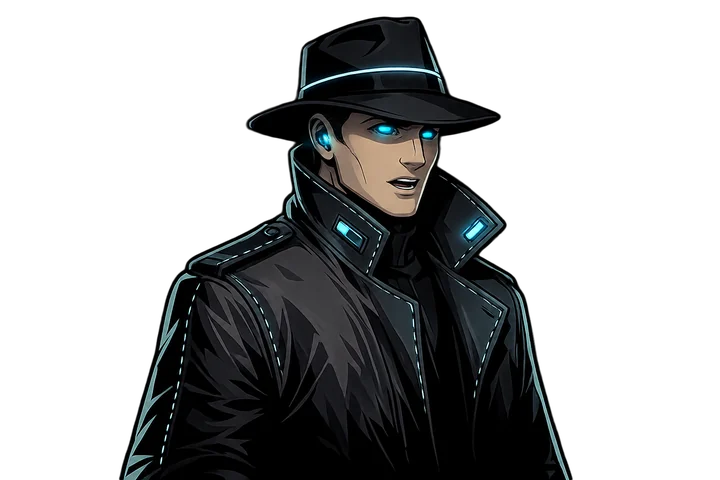
Broker art. The figure in the inset is the approved artwork (speaking-mid pose, 720 × 480), a stand-in for the real overlay close-up; the caption lines are written samples, not AI output.
Limits
A composition preview: it draws rectangles, labels and the approved Broker artwork. It does not read, crop or encode video, and a screenshot you choose is shown in the page only.
The default inset assumes the developer’s setup (1920 × 804 recording, Bottom left preset); where the Broker’s bubble sits in your frame depends on your own OBS placement and dialogue size, so adjust the rectangle.
The site’s renderer draws only the full-frame + inset layout at 1080 × 1920; the centre-crop, letterbox and 1080 × 1350 numbers are for other editors. Platform safe areas are not modelled.
Founder Alpha is early-access software; the commentary can be wrong, repeated or badly timed, and it is sold to customers in the United States only.
Founder Alpha is available to customers in the United States. Founder Alpha is early-access software. Signal Broker is an AI system. The Broker's words and voice are generated using AI. No person is speaking or writing what he says.